OMG
OMG Resources
Microsoft Ads Access
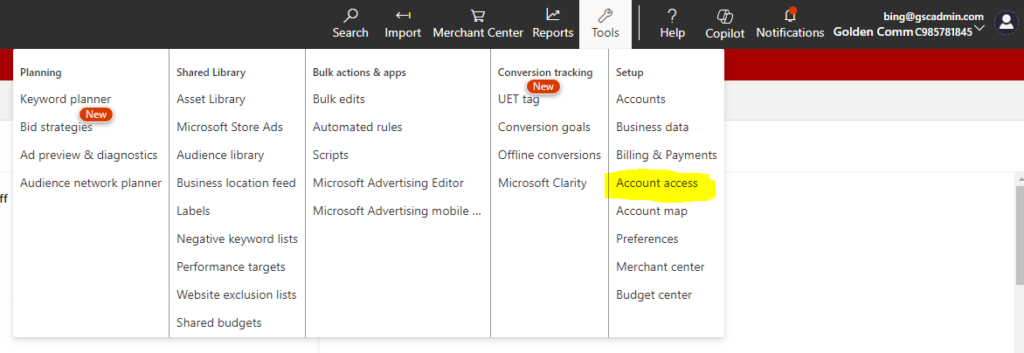
Send us your Account ID (XXXXXXXX) found in the top of your Microsoft Ads account. We will invite your Account using your Account ID, and then you will need to accept the invitation through the Account access section of your Microsoft Ads account.
To get to the Account access section click on the Tools button in the top right of the account, then “Account Access” in the dropdown, then select the “Direct Managers” tab. Here you will be able to click the “Approve” button next to the invitation from GoldenComm after we’ve sent the invitation using your Account ID.