OMG
OMG Resources
Google Tag Manager Access
Go to tagmanager.google.com
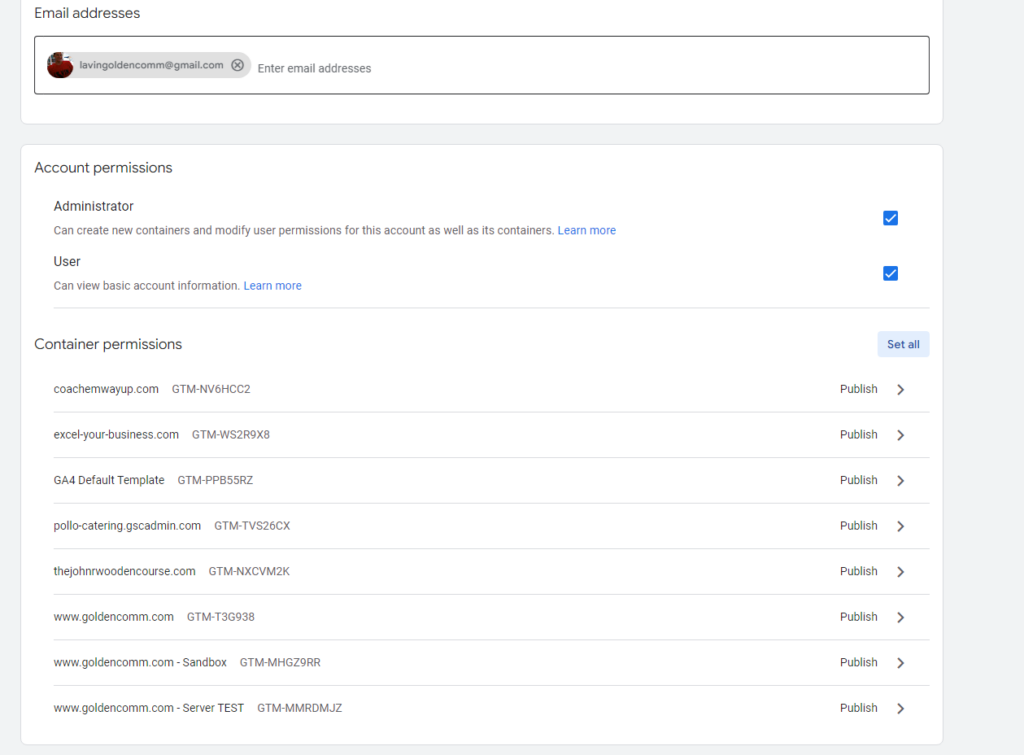
Add lavingoldencomm@gmail.com to your Tag Manager account with full permissions. You can do this in your account by clicking “Admin” at the top left→User Management under the “Account” section→Blue plus sign to add permission for lavingoldencomm@gmail.com→Select Administrator and set all container permissions to Publish, click “Add”.